Manage applicant profiles, prepare photos and signatures, fill supported Teletalk recruitment forms, and build professional CVs — completely offline on your device.
Independent software; not affiliated with Teletalk or the Government of Bangladesh.
Everything runs directly in your browser. No developer servers, no analytics, and no subscriptions.
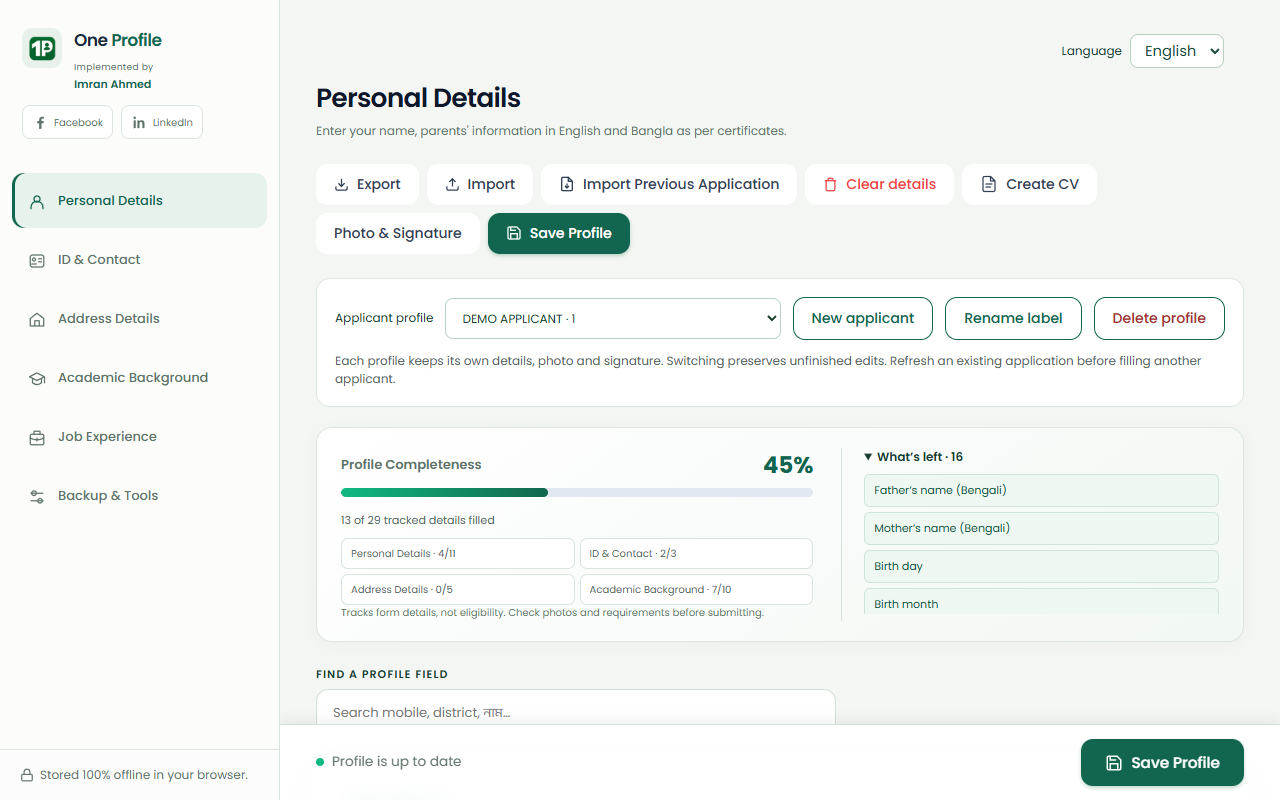
Save and switch between applicants with separate details, photos, signatures, and CV versions. Keep profiles organized for yourself, family members, or applicants you help.
Extract details, photos, and signatures directly from previous Teletalk applicant-copy PDFs using local text extraction and OCR. Review imported fields before saving.
Fill recognized personal, address, education, and employment fields with one click on supported Teletalk recruitment portals. Automatically focuses the captcha box so you can finish quickly.
Resize and compress images with built-in presets: 300 × 300 px (4–100 KB) for photos and 300 × 80 px (3–60 KB) for signatures. Includes background cutout, scan edge trimming, and paper whitening.
Generate clean CVs from your saved applicant profile. Reorder sections, customize font size, line spacing, margins, and bullet styles with a live A4 preview. Export as Microsoft Word (.docx) or print to PDF.
Extracts User ID, application fee code, and SMS shortcode from the post-submission confirmation page. Helps compose and copy the 1st and 2nd payment SMS messages. The extension does not send messages.
Export all profiles, photos, signatures, and saved CV versions into a single portable backup file. Restore onto another computer or browser profile with automatic duplicate skipping.
Seamlessly switch the extension between English and Bengali (বাংলা). Standard typography is bundled with Poppins and Anek Bangla fonts for offline rendering.
Four straightforward steps from installation to your completed application.
Add the extension to your Chromium browser (Chrome, Edge, Brave). No user account, registration, or login is required.
Enter your personal, educational, and address details once, or import an existing applicant-copy PDF to populate fields automatically.
Use the image tools to format portrait photos (300×300) and signatures (300×80) to exact portal byte limits and dimensions.
Open any supported Teletalk recruitment form and click Auto-Fill, or open CV Studio to craft, format, and download an A4 CV.
Explore actual extension screenshots from version 1.16.0 showing real workflows and tools.
Manage applicants, track completeness percentage, and easily navigate between tabs.
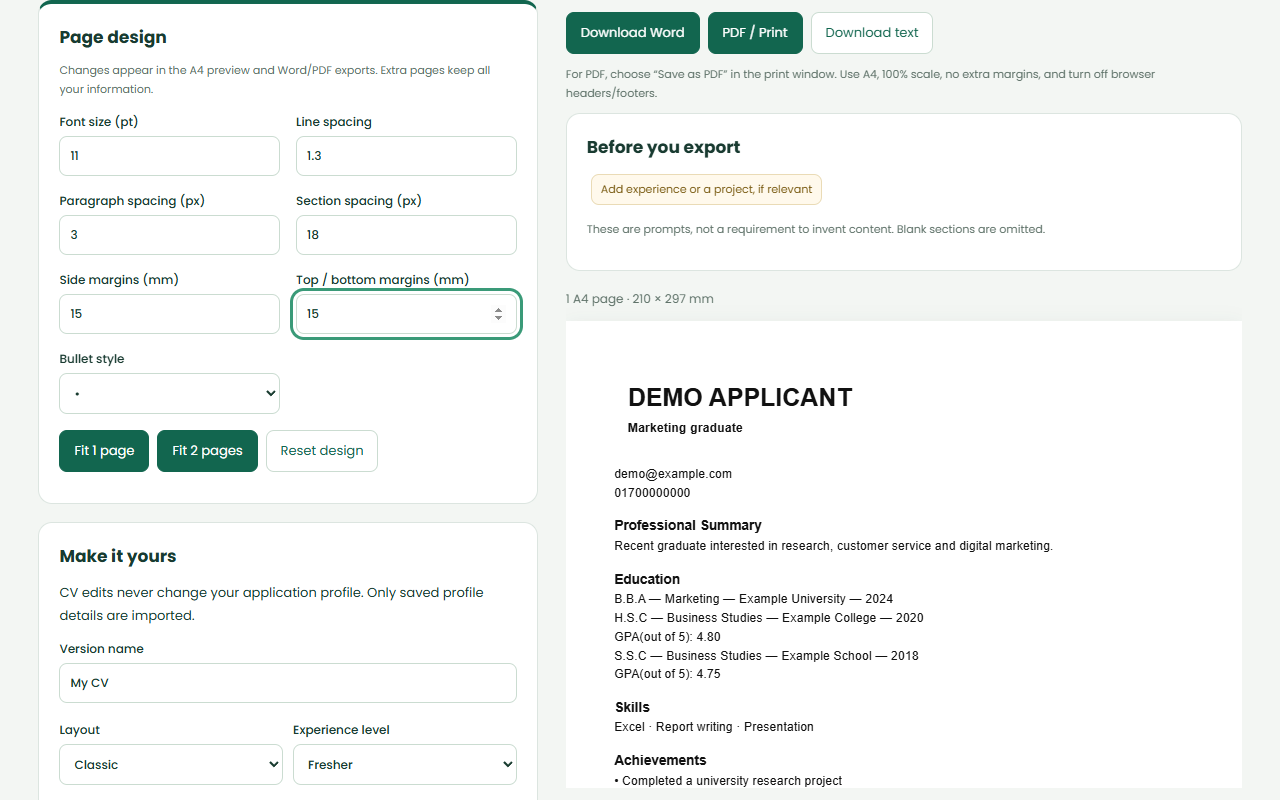
Customize font size, line spacing, margins, and section ordering with a live paginated A4 preview.
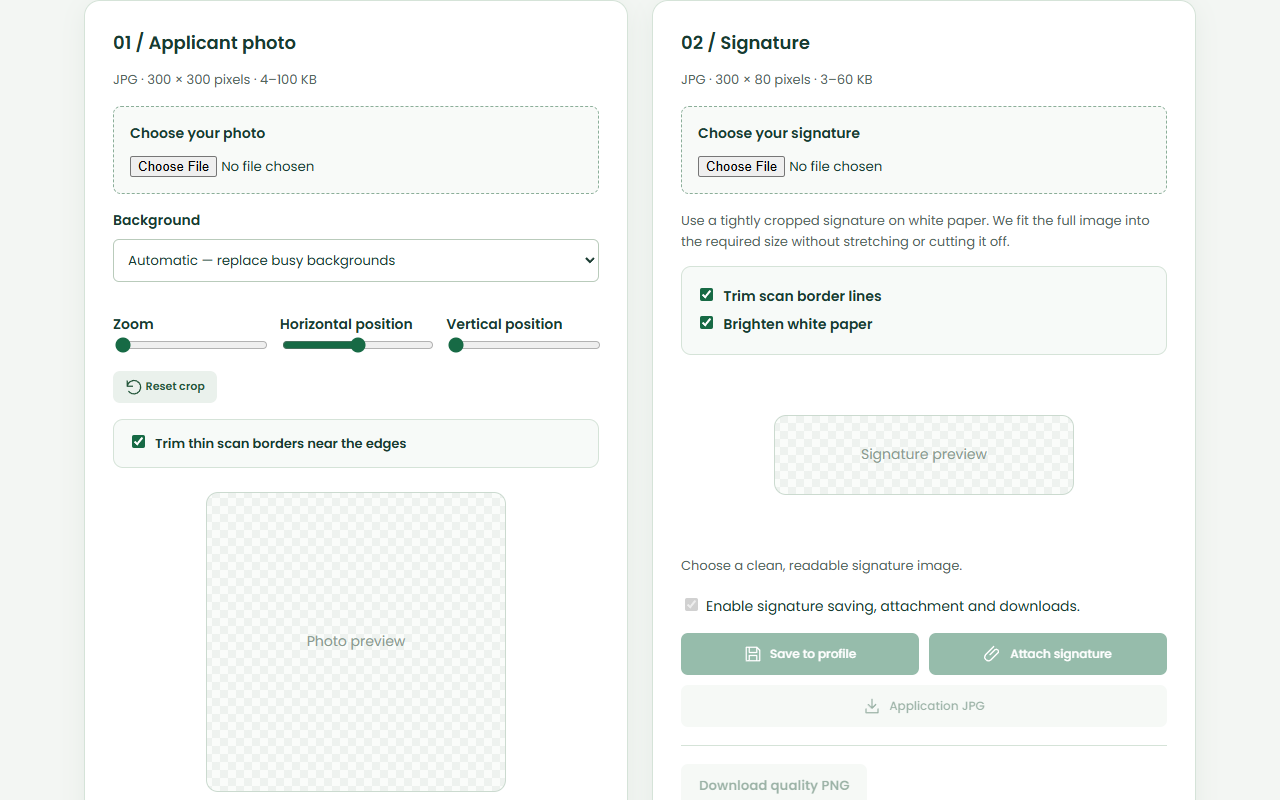
Resize images to 300×300 px and 300×80 px, replace cluttered backgrounds with blue, and whiten paper.
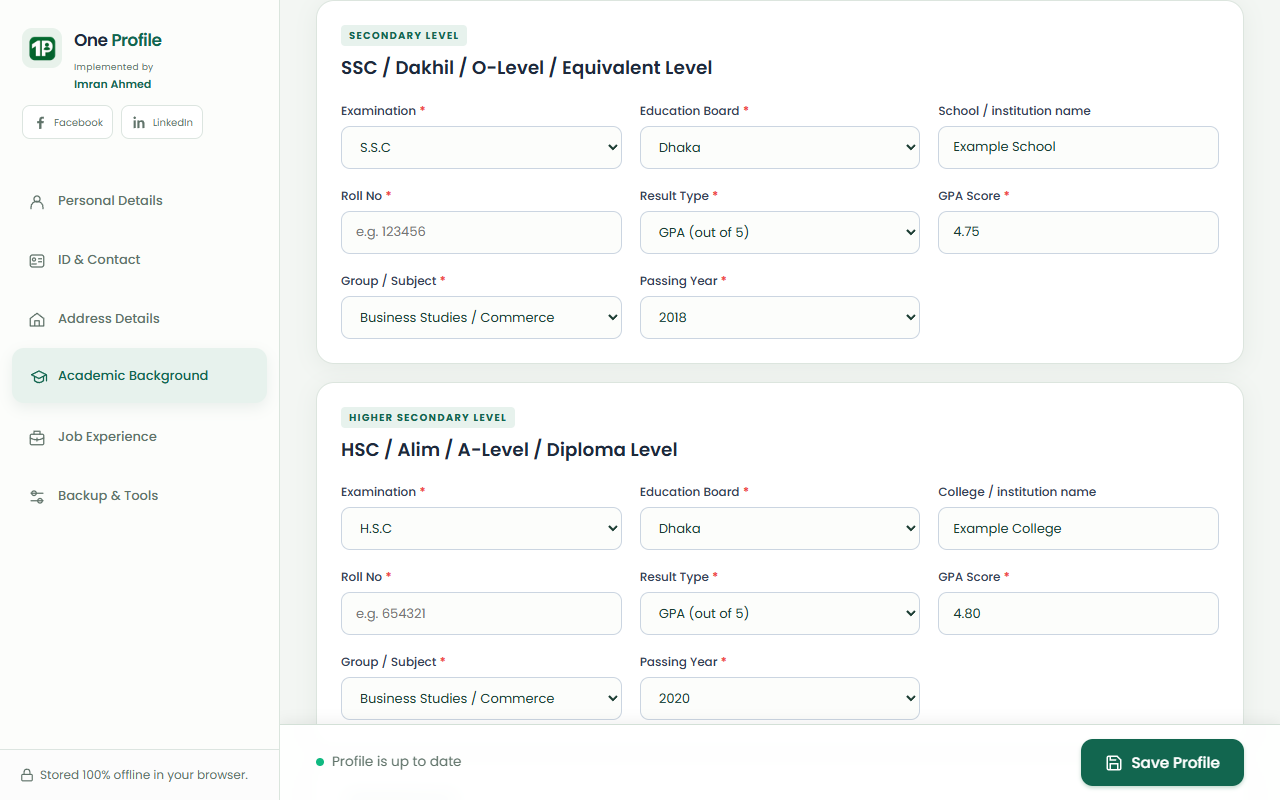
Enter SSC and HSC rolls, boards, passing years, GPA, and optional school/college names.
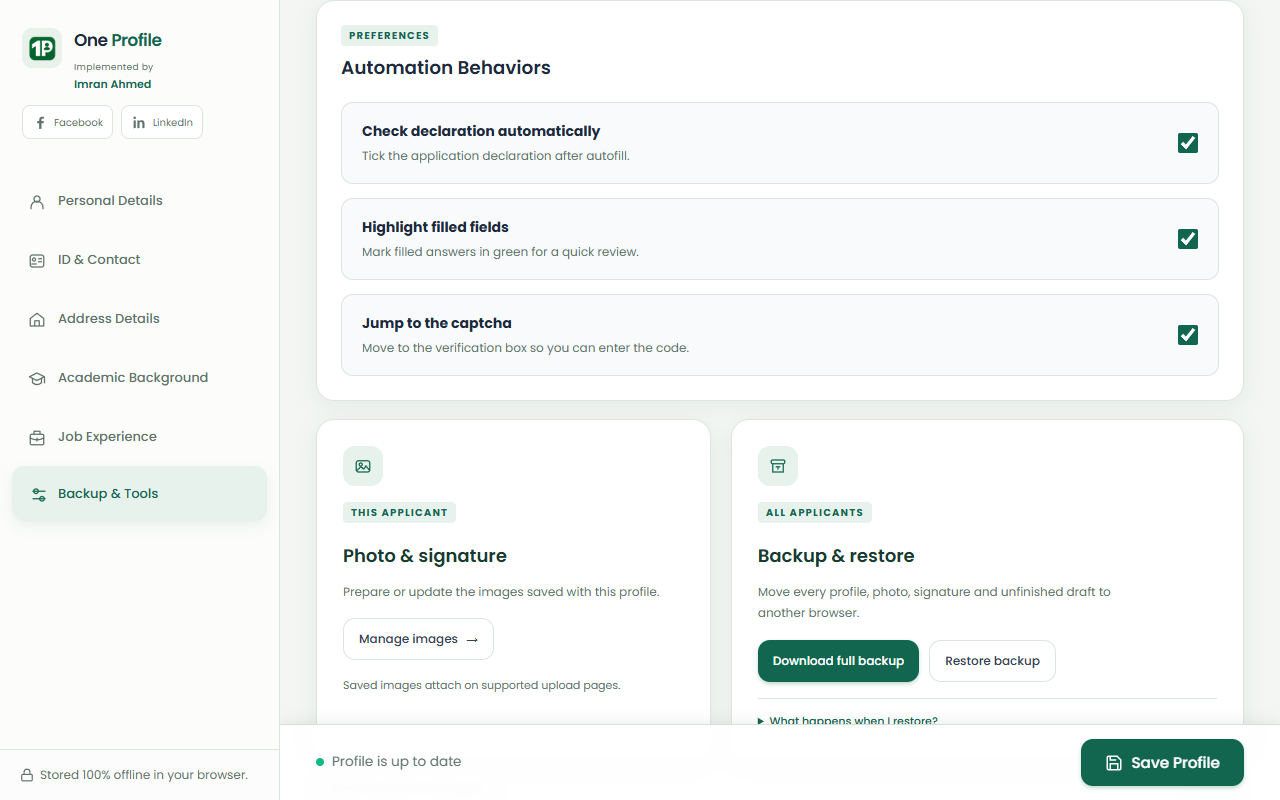
Export full backups with all applicants, photos, signatures, and CV versions to move your data between devices.
We believe privacy is not an afterthought. Here is an honest explanation of where your data lives and how it moves.
Profile storage, PDF text extraction, OCR, image resizing, background removal, and CV generation run entirely in your local browser.
There is no developer backend receiving your data, no telemetry, no tracking cookies, and no advertising code.
When you click Auto-Fill or attach photos, the information is inserted into the recruitment page you have open. The destination website's scripts can access the data.
Browser extension storage and exported backup files are not an encrypted vault. Anyone with administrative access to your computer could read local browser files.
Profile editing, image editing, PDF extraction, and CV generation work fully offline without an internet connection. Internet is only required to open online forms.
Clear, factual answers regarding One Profile's capabilities and boundaries.